What are Nodes?
Before we dive into creating workflows, let's understand what nodes are. Nodes are building blocks for your data processing. Each node has a specific function and can be dragged and dropped onto the workspace. Think of nodes as individual stations in your data processing pipeline, where each station performs a specific task.
By combining different nodes, you create automated workflows that transform your raw data into exactly the format you need. The visual interface makes it easy to see how your data flows from one step to the next.
Key Concept: Nodes work together in a chain to transform your raw data into the exact format you need. By connecting different types of nodes, you create powerful automated workflows.
Types of Nodes
There are 3 different node types that work together to process your data:
Import Nodes
Import Nodes are your starting point. They bring data into your workflow from various sources such as CSV files, Excel spreadsheets, databases, or APIs. These nodes handle the initial loading of your raw data.
Transformer Nodes
Transformer Nodes are where the magic happens. They process and modify your data according to your needs. Common transformations include filtering rows, combining columns, cleaning data, calculating new values, and restructuring your dataset.
Export Nodes
Export Nodes are your endpoint. They take your processed data and save it in your desired format, whether that's a new spreadsheet, a database, a visualization, or another destination.
Important: To create a data processing workflow, you must connect the 3 node types with each other. Every workflow needs at least one of each type to function properly.
Creating a Workflow
Building a workflow in PrepDA is intuitive and visual. The drag-and-drop interface makes it easy to arrange nodes and create connections between them. Let's walk through the process step by step.
Step-by-Step Instructions
1Add Your Nodes
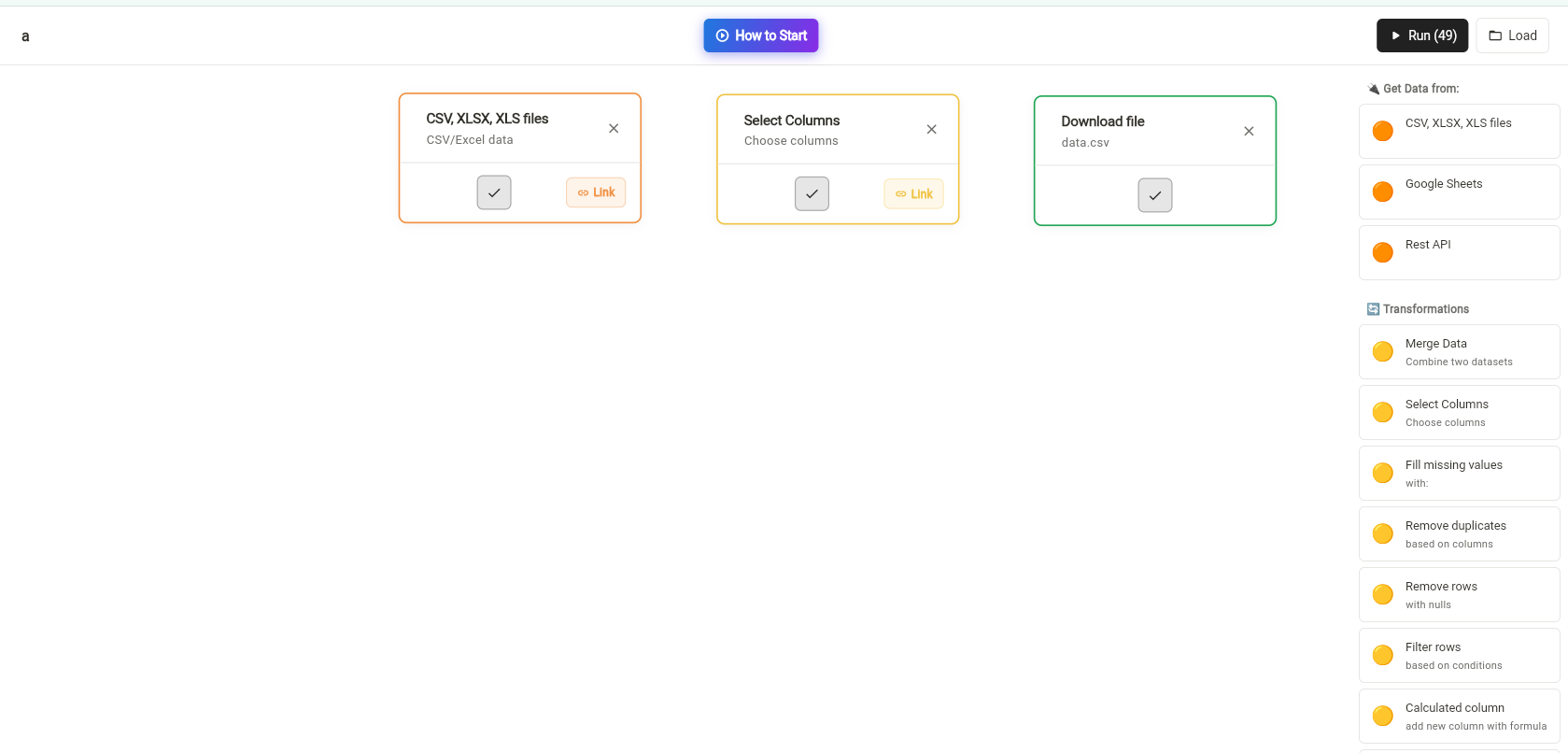
Drag and drop an Import Node, a Transformer Node, and an Export Node onto your workspace. Position them from left to right to visualize your data flow.
2Connect Import to Transformer
Click on the Link button at the bottom right of the Import Node and drag the line to the Transformer Node. With another mouse click, the nodes will be connected. You'll see a line appear showing the data flow.Then do the same from the Transformer Node to the Export Node.

3Connect Transformer to Export
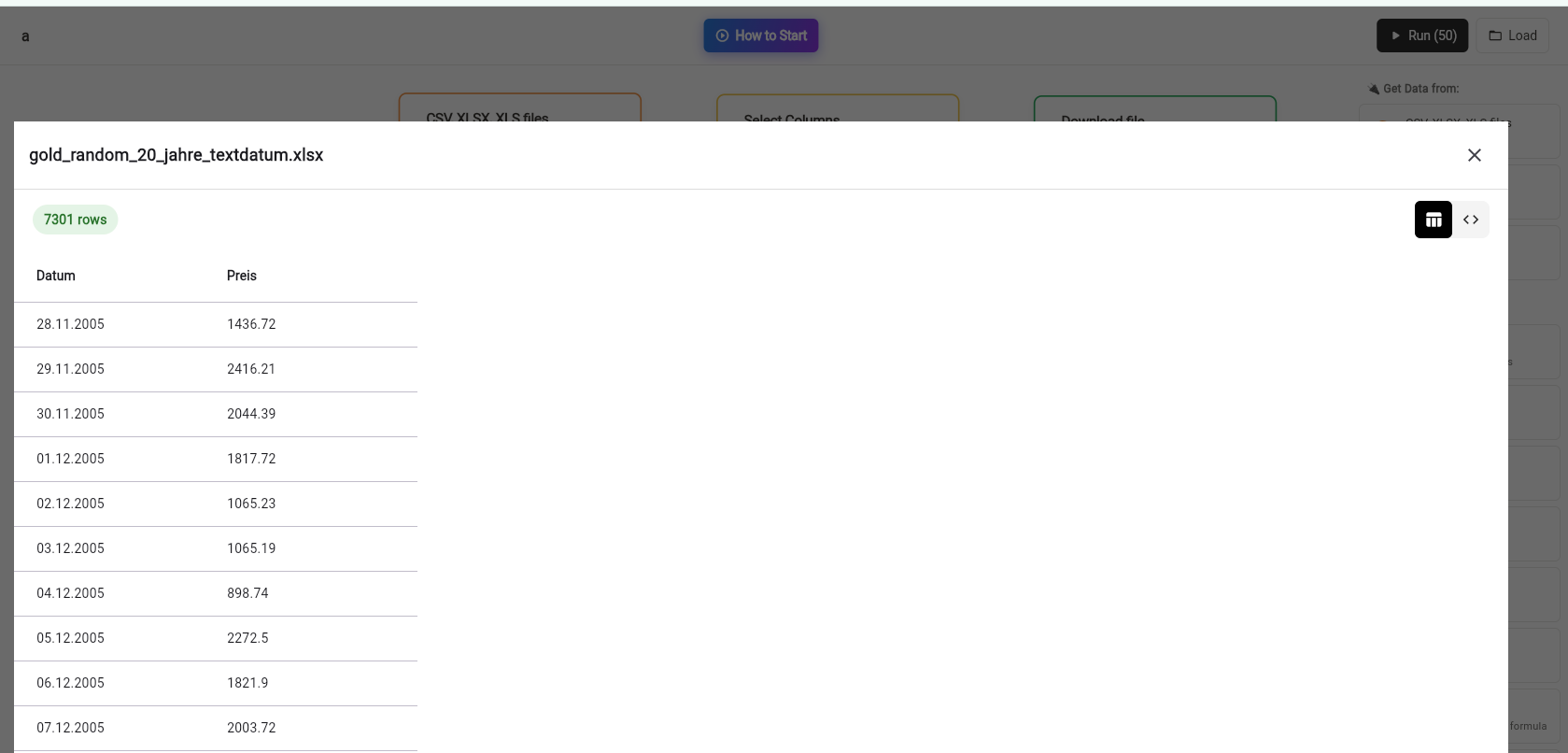
Click on the Import Node to open its settings. Drag and drop your dataset into the node. After the data has been loaded, you can close this node. You'll see a preview of your data to confirm it loaded correctly.
4Configure Import Node
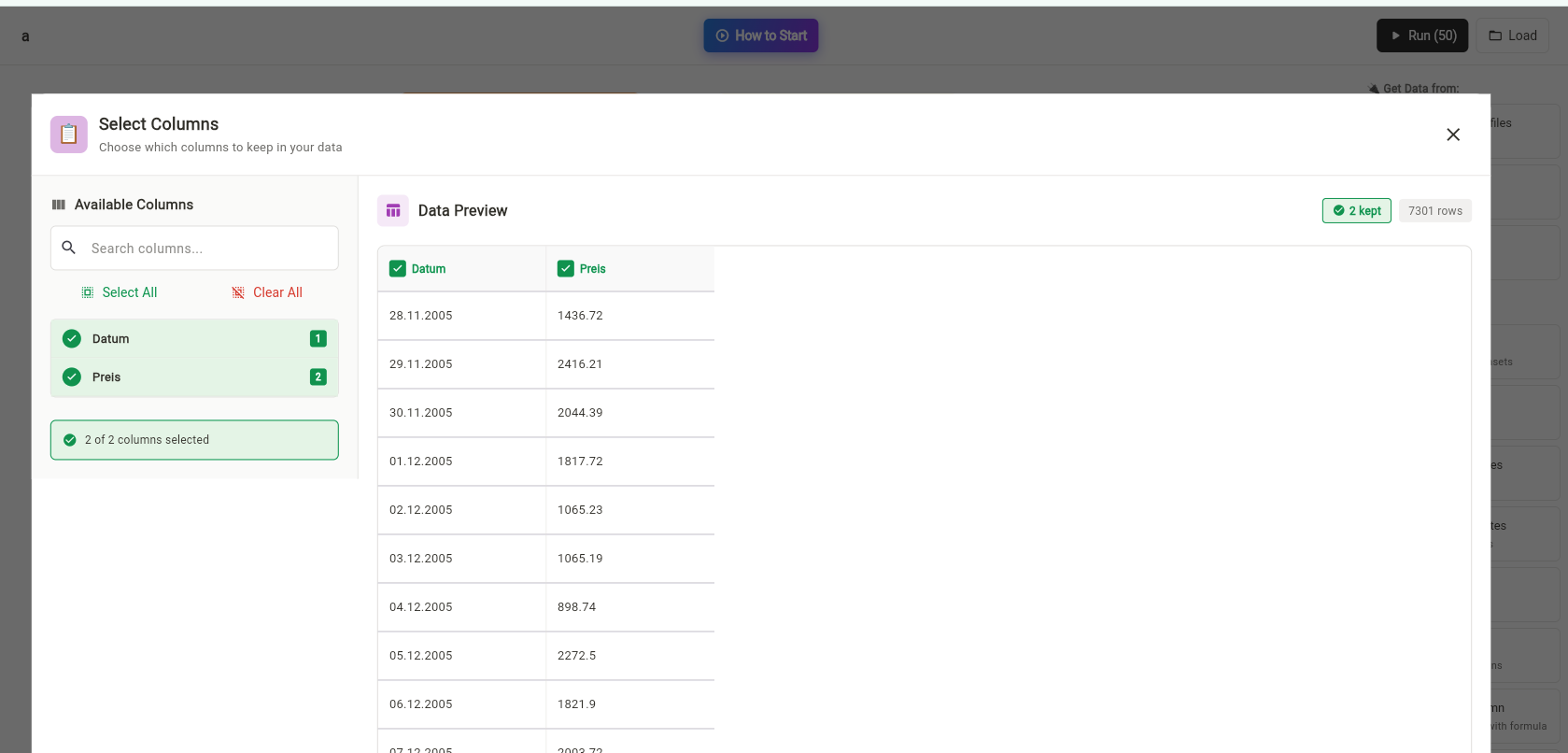
Next, click on the Transformer Node. Select the desired transformation from the available options and configure any parameters. Close the node when you're satisfied with your settings.
5Configure Transformer Node
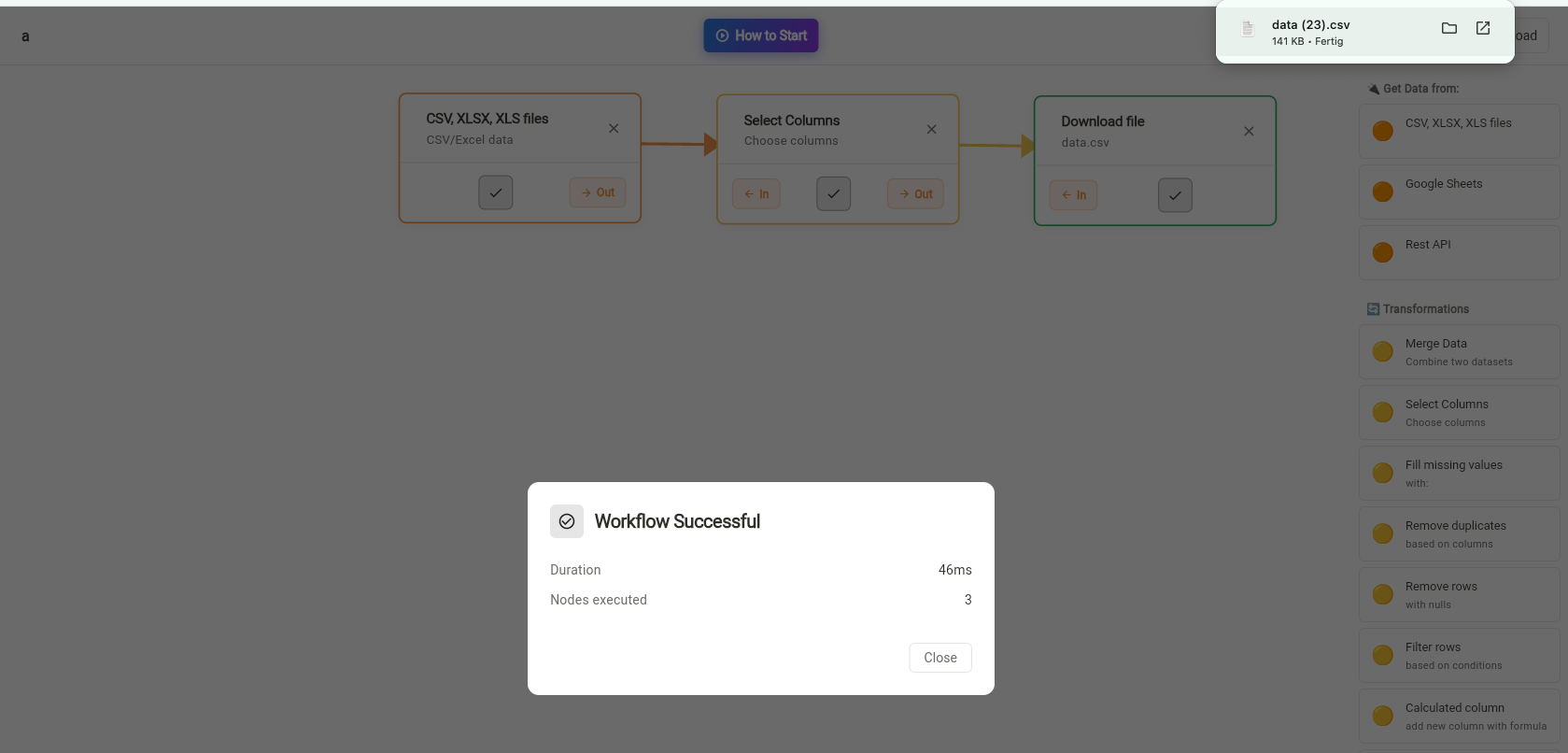
Finally click on RUN. That's it! Your workflow will execute, and your data will be processed automatically on the top right.
Tips and Best Practices
To get the most out of your node-based workflows, consider these helpful tips:
- Start Simple: Begin with basic workflows using just three nodes. As you become comfortable, you can add more complex transformations.
- Test Frequently: Run your workflow after each major change to catch any issues early in the process.
- Name Your Nodes: Give each node a descriptive name so you can easily understand your workflow at a glance.
- Save Templates: If you use the same workflow pattern often, save it as a template for quick reuse.
- Check Previews: Always review the data preview in each node to ensure transformations are working as expected.
- Document Your Work: Add notes to complex workflows explaining what each transformation does and why.
Pro Tip: You can chain multiple Transformer Nodes together to perform complex multi-step data processing. Each transformation builds on the previous one, giving you ultimate flexibility.
Common Workflow Patterns
Here are some common workflow patterns you might find useful:
Data Cleaning Pipeline: Import → Remove Duplicates → Fill Missing Values → Standardize Formats → Export
Data Merging Pipeline: Multiple Imports → Join Data → Remove Conflicts → Calculate Totals → Export
Analysis Pipeline: Import → Filter Relevant Data → Calculate Metrics → Create Summary → Export
Ready to Build Your First Workflow?
Start creating powerful data processing pipelines today with PrepDA's intuitive node system.
Try PrepDA NowConclusion
Nodes are the foundation of data processing in PrepDA. By understanding how Import Nodes, Transformer Nodes, and Export Nodes work together, you can create sophisticated automated workflows that save time and eliminate errors. The visual, drag-and-drop interface makes it easy to build, test, and modify your data pipelines without writing any code.
Start with simple three-node workflows and gradually expand as you become more comfortable with the system. Before you know it, you'll be building complex data processing pipelines that would have taken hours manually but now run automatically with a single click.